
Version SHT4x – Precision Temperature/rel. Humidity, Type 341
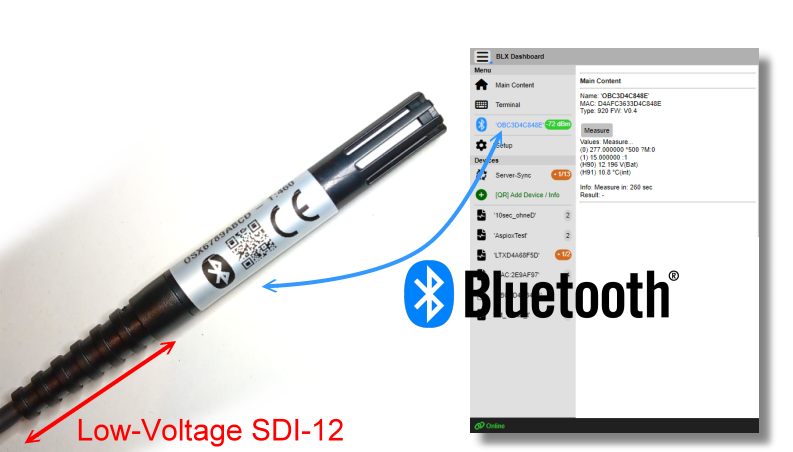
The OSX SHT4x is a Precision Temperature/rel. Humidity Sensor with Low-Voltage SDI-12 and Bluetooth. The Sensor SHT4x is available in several versions. E.g.:
Version SHT45:
Based on Sensirion’s SHT-45AD1F1 (with internal 2nd PTFE
membrane) and excellent precision:
±1.0% rel. Humidity (20-70% rH) and ±0.1°C Temperature
(5-60°C)

An outer PTFE protection filter cap protects the sensor element from particles. The SHT4x uses the popular Ultra-Low-Power SDI-12 Bus (V1.3) as communication protocol. The signal levels have been extended to Low-Voltage SDI-12 operation down to 3.6V supply voltage.
The parameters of the SDI-12-Interface (based on Open-SDI12-Blue platform) can be changed via Bluetooth. Also it is possible to use a custom 2-point calibration.
ℹ️ Note:
Warning: The sensor is internally protected against normal transients and spikes, but reverse or false connection may damage the sensor!
The command set is based on standard SDI-12 (V1.3) command set. Most important commands:
aAn! : Change Address from ‘a’ to ‘n’ (a might always be a ‘?’ as wild card)
aI! : Identify Node (should identify as ‘a13TT_SHT_A_0341_OSXxxxxxxxx’)
aM! : Start measure (also ‘aMC!’). This will start
the measure. After finishing, all measured values are available in an
internal cache. Up to 2 data may be read with the “D” command:
a.) rel. Humidity (in %)
b.) Temperature (in °C)
aM1! : Start measure (also ‘aMC1!’). This will start
the measure including Supply Voltage. After finishing, all measured
values are available in an internal cache. Up to 3 data may be read with
the “D” command:
a.) relative Humidity (in %)
b.) Temperature (in °C)
c.) Voltage
aD0! : This will read the 1 to max. 3 measures from the preceding “M” command
ℹ️ Note:
All values lower than -1000.000:
OSX Sensors are based on an open platform:
Link: https://github.com/joembedded/Open-SDI12-Blue
In this case the PCB was modified to smaller size:

OSX Sensors can be accessed by SDI-12 (V1.3) or Bluetooth BLE or SDI-12 via Bluetooth.
Link: Download BlueShell or BlxDashboard
Link: https://github.com/joembedded/SDI12Term
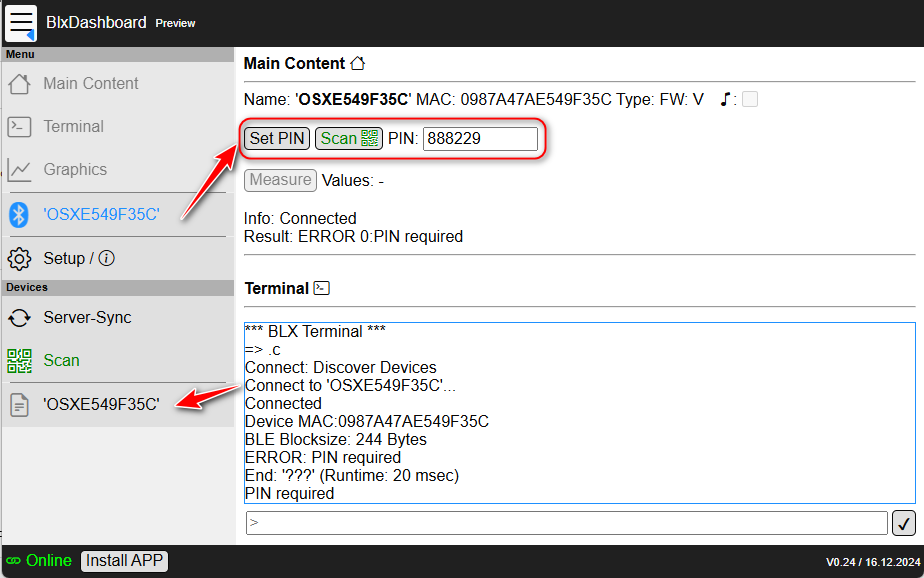
ℹ️ Note:
The sensors are locked with a 6 digit PIN (Authentication method: Challenge-Response)
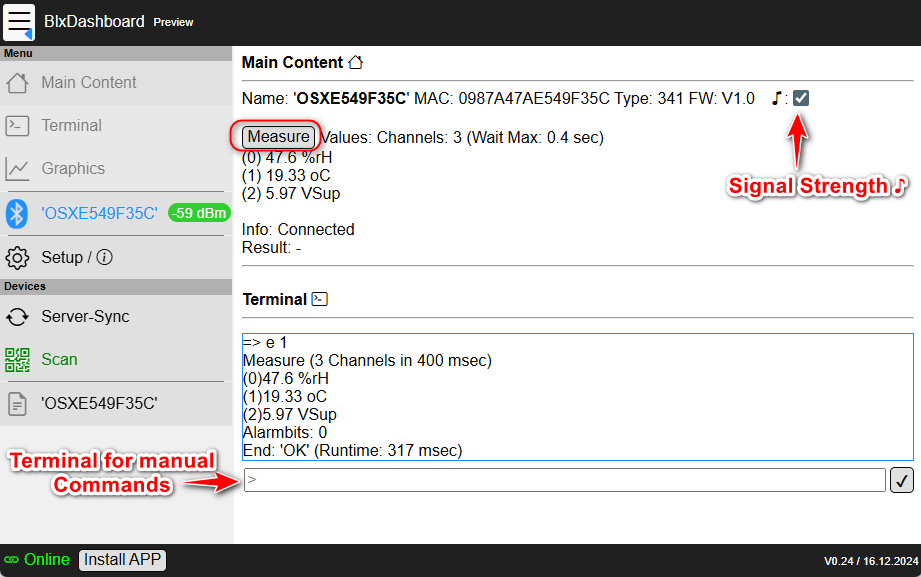
A selection of commands for setup (enter via BlxDashboard or BlueShell Terminal)
Measure:
M or MC or M1 or
MC1 starts the measure, measure takes < 1 secD replies the valuesAll “SDI-12 via BLE” commands are preceded by ‘z’:
> z?I! SDI12 via BLE: Identify
Reply: '013TT_SHT_A_0341_OSXE549F35C<CR><LF>'
End: 'OK' (Runtime: 229 msec)

> z?M! SDI12: Measure
Reply: '00012<CR><LF>'
Reply: '0<CR><LF>'
End: 'OK' (Runtime: 358 msec)

> z?D0! SDI12: Values
Reply: '0+45.3+26.36<CR><LF>'
End: 'OK' (Runtime: 302 msec)

> z?MC! SDI12: Measure+CRC
Reply: '00012<CR><LF>'
Reply: '0<CR><LF>'
End: 'OK' (Runtime: 387 msec)

> z?D0! SDI12: 'CAa' is CRC
Reply: '0+45.3+26.37CAa<CR><LF>'
End: 'OK' (Runtime: 290 msec)

> z?XDevice! SDI12: XDevice
Reply: '0M:0987A47AE549F35C,T:341,V1.0, P:888229!<CR><LF>' SDI12: Red: Dev.PIN
End: 'OK' (Runtime: 299 msec)

> z?XFactoryReset! SDI12: Factory Reset:
Disconnected SDI12: New setup> .firmware Secure firmware update
Select new firmware (*.sec)...Sensor setup / scan commands:
ℹ️ Note:
Important: Our sensors are delivered “ready-2-run” and no special setup is required (except e.g. after Factory Reset or if sensor configuration was changed). The following commands are only listed for technical completeness.
Each channel has 2 coefficients for (optional) user calibration. By default these coefficients are 1.0 (Multi) and 0.0 (Offset), this means the values of the sensor are not changed. Since the SHT4x sensors are internally factory calibrated, user calibration coefficients are normally also not required. Mentioned only for completeness.
The 4 Coefficients:
Formula is (BLX standard): VALUE = (MEASURED × Multi) -
Offset
The “Write” command writes changed parameters to Flash.
Example: In this example K3 (Offset for Temperature) is ‘adjusted’ to display 1.23°C less:
> e Measure
Measure (2 Channels in 300 msec)
(0)43.9 %rH
(1)26.47 oC
End: 'OK' (Runtime: 564 msec)

> z?XK3! Coefficient for Temperature
Reply: '0K3=0.000000<CR><LF>'
End: 'OK' (Runtime: 271 msec)

> z?XK3=1.23! Decrease Temp. by 1.23°C
Reply: '0K3=1.230000<CR><LF>'
End: 'OK' (Runtime: 191 msec)

> e And check result
Measure (2 Channels in 300 msec)
(0)43.8 %rH
(1)25.24 oC

> z?XWrite! Save Settings to Flash
Reply: '0<CR><LF>'
End: 'OK' (Runtime: 162 msec)The OSX Sensor works from 2.8V to 16V (see Open-SDI12-Blue
documentation).
For Low-Voltage SDI-12 a minimum supply voltage of 3.6V-16V is
recommended, below this only Bluetooth should be used.
The Sensor is ready after ca. 250 msec.
Average power consumption in deep sleep is <15 µA @ 4V
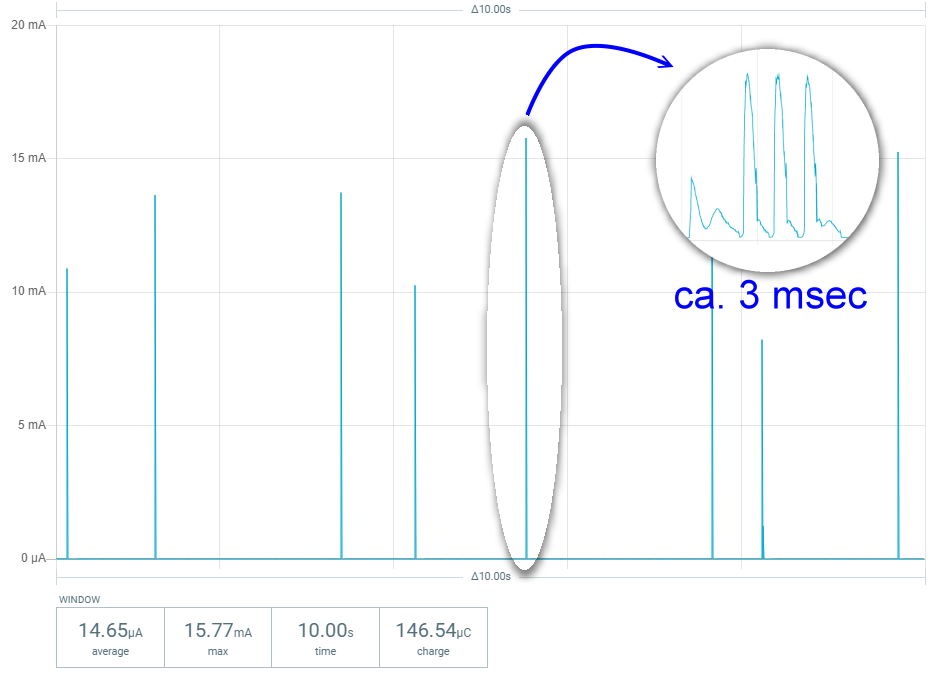
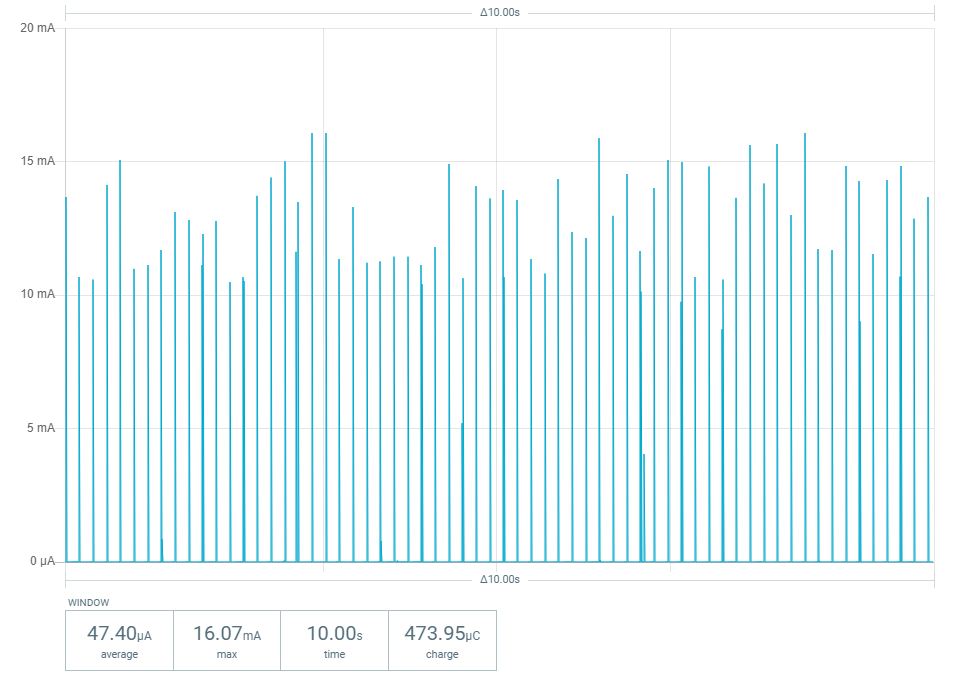
In Connected Mode (active BLE connection) the average power consumption is <50 µA @ 4V

ℹ️ Note:
The sensor OSX – Version SHT4x, Type 341 complies with the essential requirements of Radio Equipment Directive (RED) 2014/53/EU and with the Directive 2011/65/EU (EU RoHS 2) and its amendment Directive (EU) 2015/863 (EU RoHS 3).
GeoPrecision GmbH
Am Dickhäuterplatz 8
D-76275 Ettlingen
Terratransfer GmbH
Ottostr. 19a
D-44867 Bochum
08.07.2024

Jürgen Wickenhäuser (R&D)
SHT-45AD1F Datasheet: https://sensirion.com/products/catalog/SHT45-AD1F↩︎